Installation#
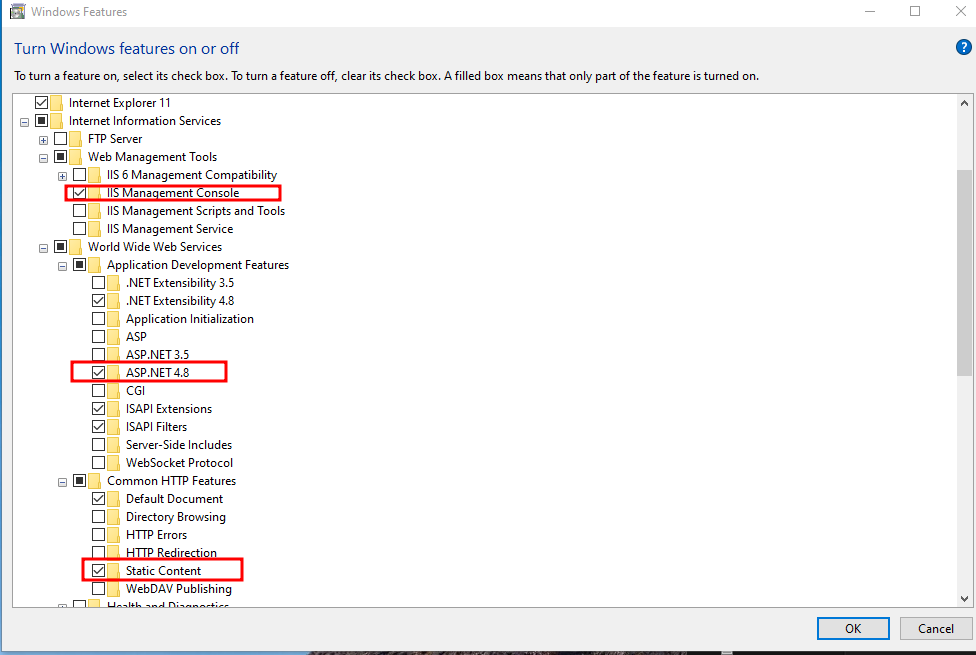
Go to windows features, tick all these boxes
Configuration#
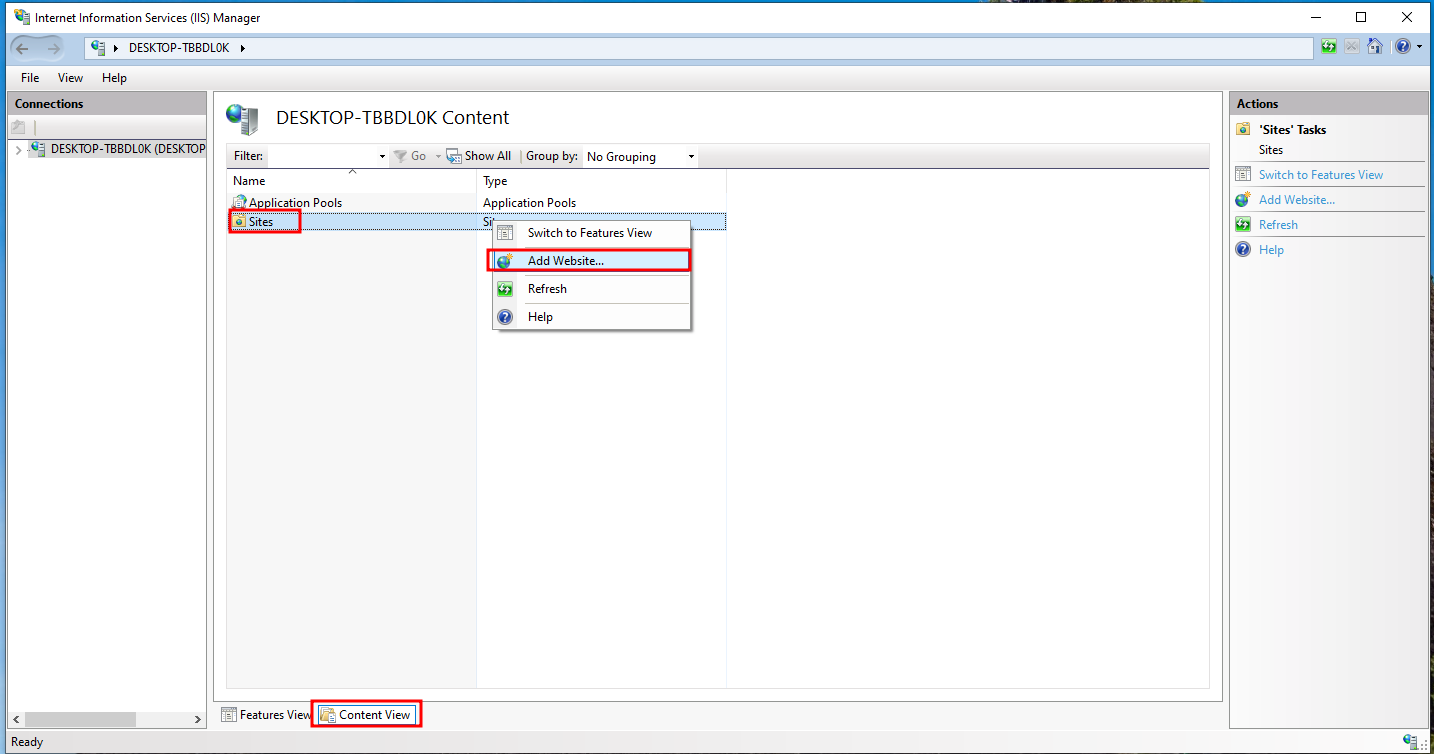
To add a site, go to ISS manager -> Content View -> Sites -> Add Website
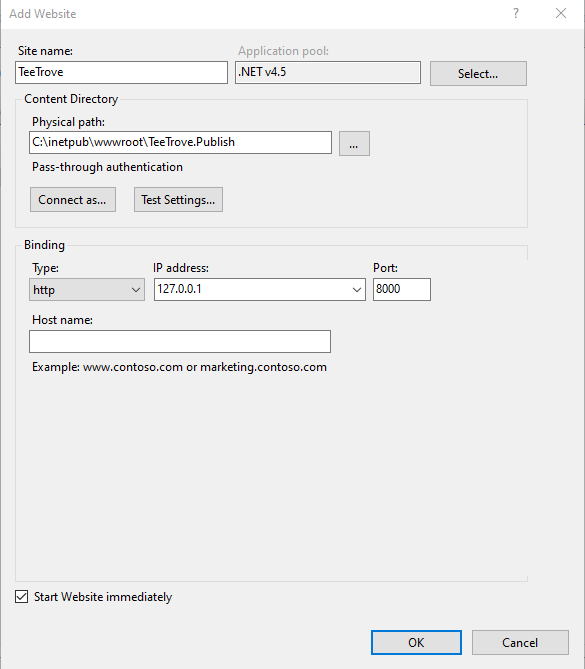
 Then enter some info, run either localhost or private IP, or VPN IP
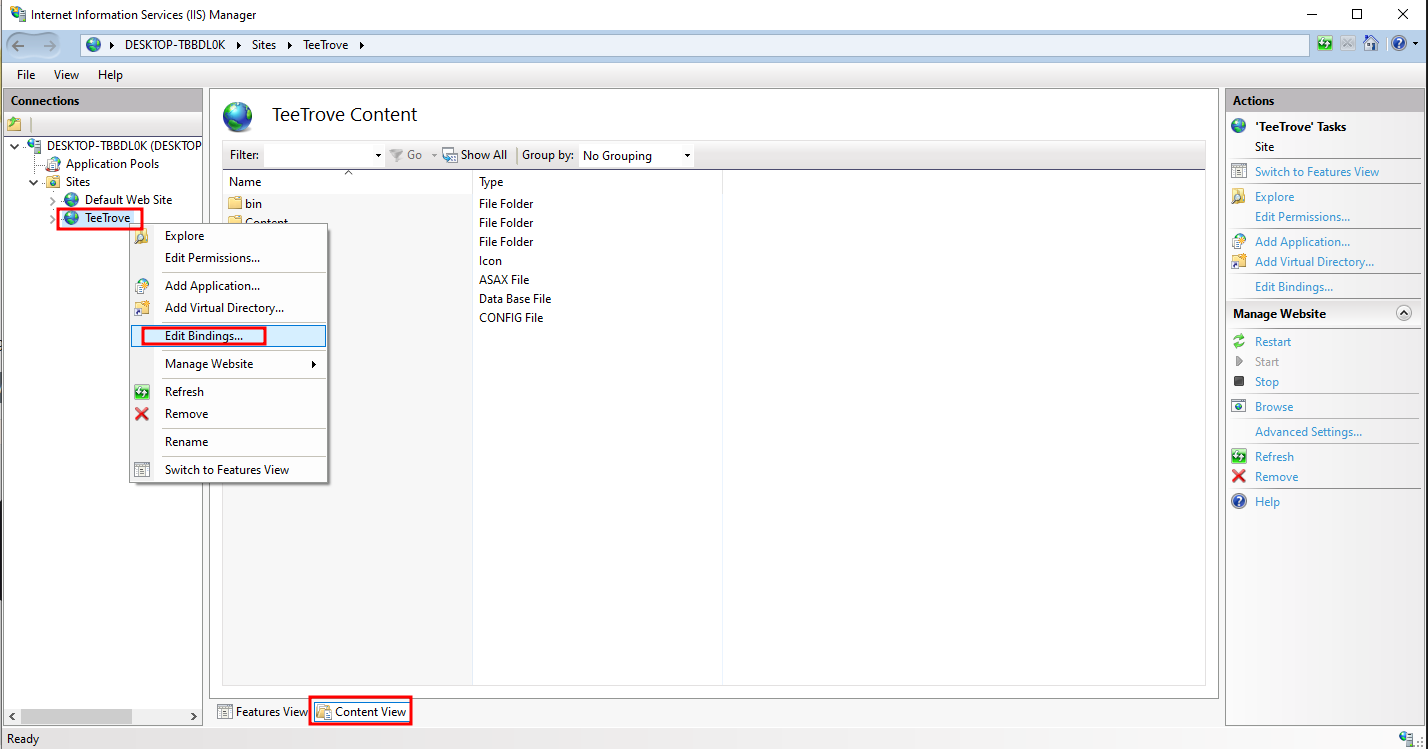
 If later on, you want to edit IP address, port, go to IIS manager -> Content View -> Sites -> right click on <Your_site> -> Edit Bindings
Debugging#
Disable JIT optimization#
By default, IIS have JIT optimization that makes debugging complicated. We can download this script to disable that. First, open powershell as admin
wget https://gist.github.com/richardszalay/59664cd302e66511618f51eaaa77db26/raw/e6f28fd32b693f9f98c538c63880c3eb50e317f4/IISAssemblyDebugging.psm1 -o IISAssemblyDebugging.psm1
powershell -ep bypass
Import-Module .\IISAssemblyDebugging.psm1
Enable-IISAssemblyDebugging C:\inetpub\wwwroot\TeeTrove.Publish\
Install dnSpy#
This repository is archived, but whatever. Download the zip, run the thing
Then File -> Open or just CTRL + O
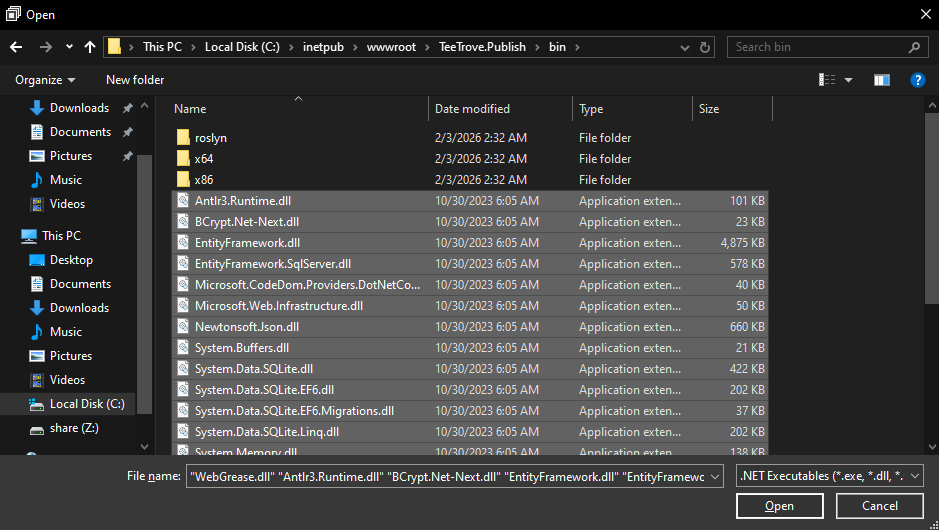
And open every executable in the website directory
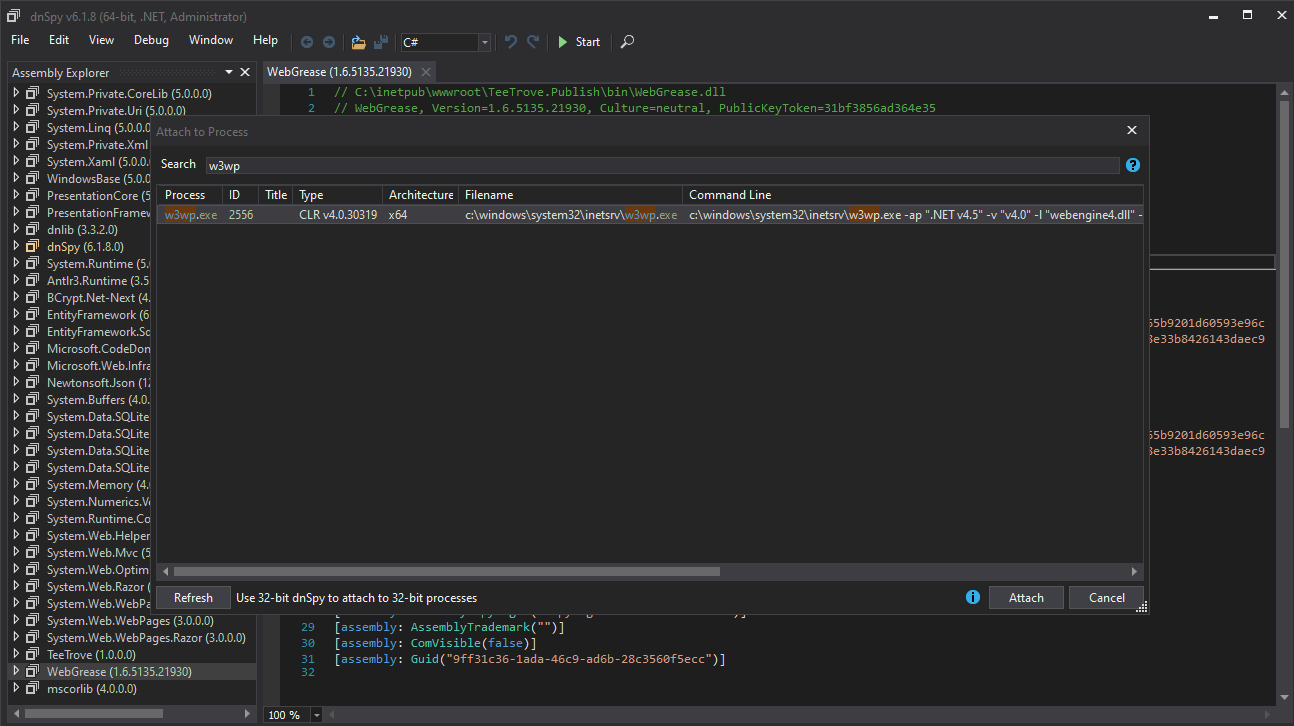
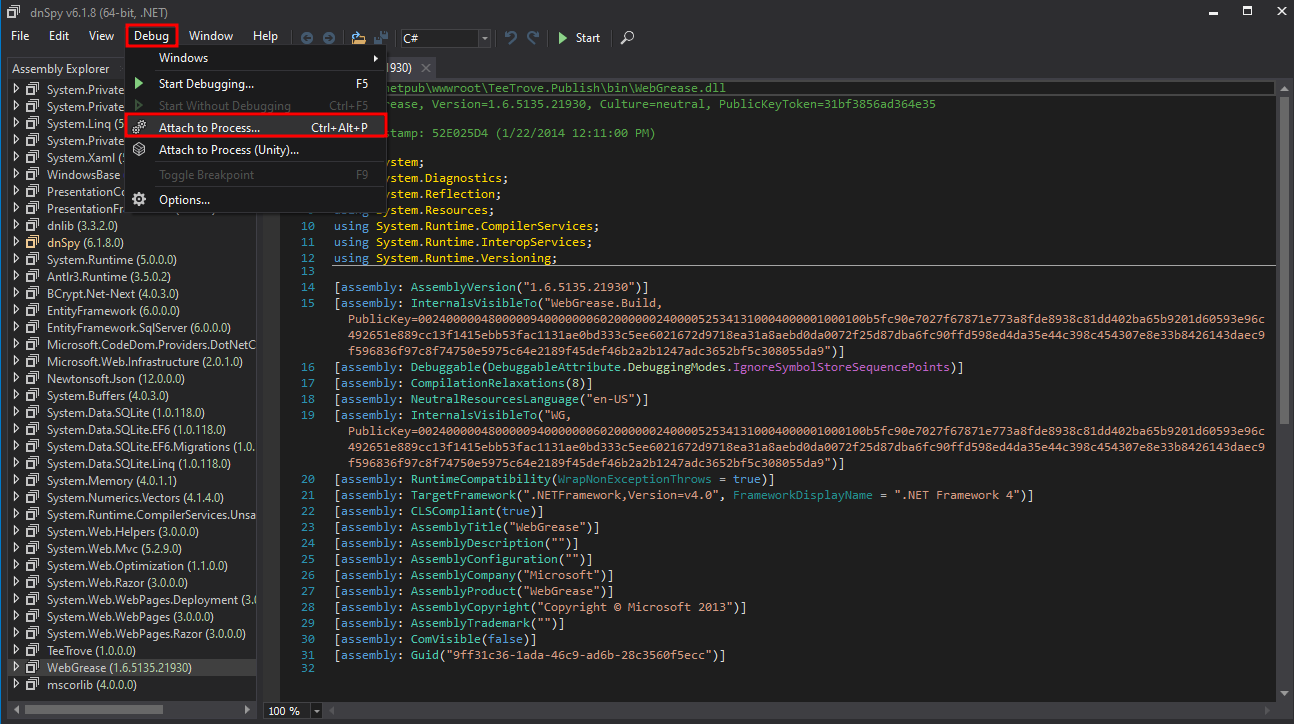
 Next, Debug -> Attach to Process or
 CTRL + ALT + P
 Find the
 w3wp.exe process. If not appear, run dnSPY as admin. If not appear again, try send a request and refresh